


Your Guide to Budget Car Rental BCD Code Savings
- fantasma70
- Jan 27
- 12 min read
Ever seen a spot for a "BCD code" when booking a Budget rental car and wondered what it was? You're not alone. Think of it as a secret handshake for getting a better price.
A Budget Customer Discount (BCD) code is simply a special code that unlocks pre-negotiated rental rates. These rates aren't available to just anyone booking online; they're tied to your employer, a membership you have, or a loyalty program you're part of. It's the quickest way to chop down the base price of your rental before you even start thinking about other coupons.
What Is a Budget BCD Code and How Does It Work
The best way to understand a Budget Customer Discount (BCD) code is to think of it like a corporate ID badge. When you flash that badge at a partner business, you get a special employee price. A BCD code does the same thing digitally. When you pop it into the booking form, you're signaling to Budget's system that you belong to a specific partner group, instantly unlocking the discounted rates they’ve arranged.
So, where do these codes come from? They're usually part of a partnership agreement:
Corporate Programs: Thousands of companies negotiate special rates for employees, whether they're traveling for business or even a personal vacation.
Membership Organizations: If you're a member of a group like AARP, Costco, or USAA, you likely have access to a BCD code that can lead to some serious savings.
Loyalty Programs: Many airline frequent flyer and hotel loyalty programs include car rental perks, which are almost always accessed with a unique BCD code.
A common mix-up is thinking BCD codes are the same as regular coupons. They're actually quite different. The BCD code is all about lowering the base rate—the daily or weekly price of the car itself. A coupon, on the other hand, usually offers a separate bonus, like a free weekend day, a car class upgrade, or a fixed dollar amount off your final bill. The great news? You can often use both to really stack up the savings.
Think of it this way: The BCD code sets your discounted starting price. The coupon code is an extra perk you add on top. Getting this right is the key to unlocking the best possible deal on your rental.
To make it even clearer, let's look at them side-by-side. The table below shows exactly how each discount works, where it goes during booking, and how they play together. This should help you confidently navigate the "Offer Codes" section on Budget's website. For more insider tips, feel free to explore our other rental guides and become a true travel pro.
BCD Codes vs Coupon Codes What's the Difference
This table breaks down the key differences between Budget BCD codes and standard coupon codes to help users apply the right discount.
Discount Type | What It Does | Where to Apply | Can It Be Combined? |
|---|---|---|---|
BCD Code | Reduces the base daily or weekly rental rate. It's linked to an organizational affiliation. | In the "BCD Code" or "Offer Codes" field during the initial booking steps. | Yes, typically with one coupon code per rental. |
Coupon Code | Provides a separate perk, like a free upgrade, a specific dollar amount off, or a free day. | In the "Coupon Code" field, often located near the BCD code entry box. | Yes, with a BCD code, but usually not with another coupon. |
Knowing the job of each code makes it much easier to layer your discounts and avoid any "invalid code" errors at checkout.
Where to Find Legitimate Budget BCD Codes
Hunting for discount codes online can feel like a wild goose chase, but finding a real, working budget car rental bcd code isn't as hard as it seems. The trick is to stick to official sources. This way, you know the code is valid and you won’t have any awkward surprises at the rental counter.
The best and safest places to look are organizations you’re probably already part of. Think of them as pre-approved discount channels just waiting to be used.
Corporate and Professional Affiliations
Your job might be your first and best stop for a great deal. Many companies and professional groups cut special deals with rental agencies for their employees and members. These are often the steepest discounts you'll find.
Employee Portals: Start by checking your company's internal website or travel portal. This is the most common place to find a corporate BCD code meant for both business trips and personal vacations.
Professional Associations: Part of a group like the American Bar Association? Log in to your member account and look under "benefits" or "travel perks." These organizations often have standing partnerships with companies like Budget.
Here's a word of caution: don't just grab a corporate code you find on some random forum. If you can't show proof of employment or membership when you pick up the car, Budget can (and likely will) cancel your discount and charge you the full, expensive walk-up rate. Only use codes you're actually eligible for.
Membership and Loyalty Programs
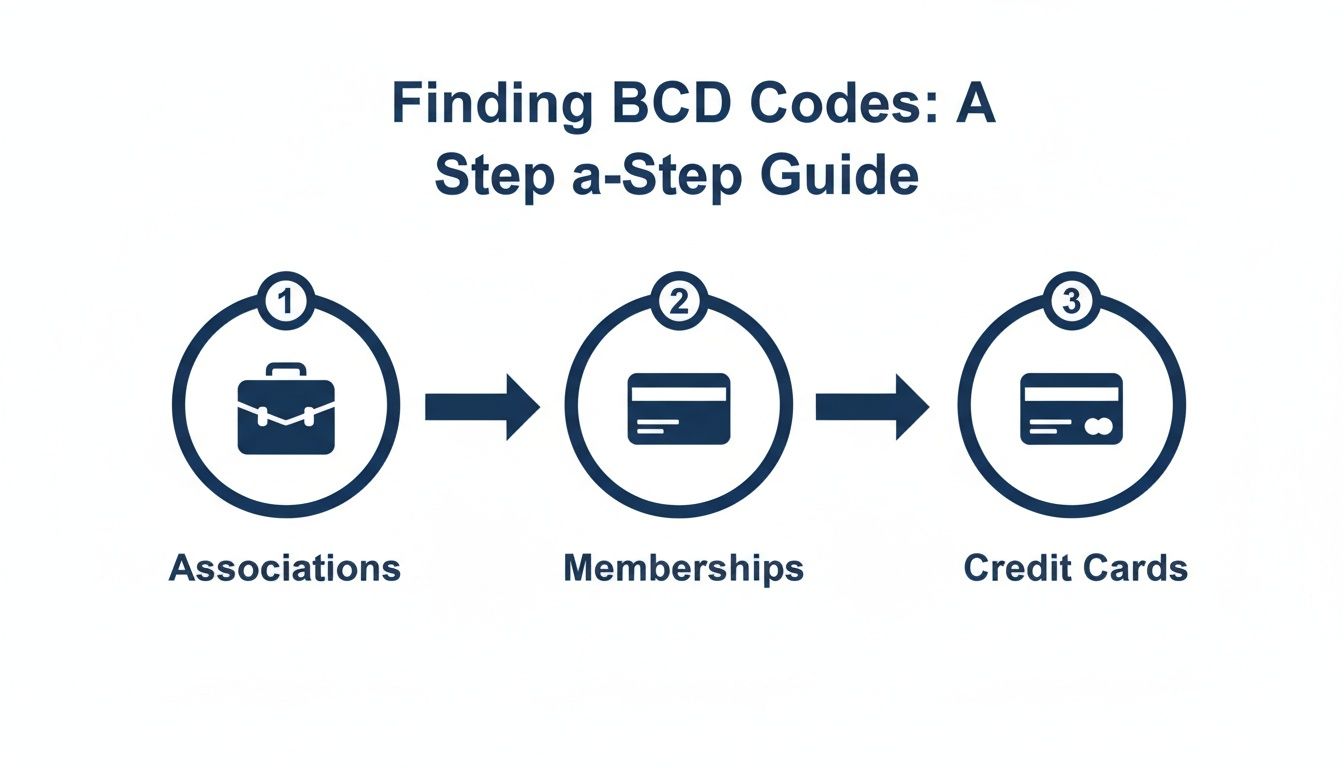
Your everyday memberships are another goldmine for rental discounts that most people completely forget about. These perks are designed to add value to your subscription, and the savings can be pretty significant. The U.S. car rental market is a huge business, projected to hit $65.3 billion by 2025, so companies are always competing for your loyalty. You can read more about the U.S. car rental industry's growth on mmcginvest.com.
Warehouse Clubs: If you have a Costco or Sam's Club membership, check out their travel portals. They negotiate exclusive BCD codes just for their members.
AARP and USAA: These two are famous for travel deals. AARP members, for instance, can often get codes for up to 30% off the base rental rate. USAA also offers fantastic benefits for military members and their families.
Credit Cards: Don't forget to check the benefits that come with your credit card. Many premium cards from Visa or American Express include car rental discounts as a standard perk, usually found on their travel booking sites.
Starting your search with these trusted sources is the smartest way to find a BCD code that works. While it’s always a good idea to hunt for the best discount, remember to compare the final, all-in price. Sometimes, exploring current rental deals can uncover simple, upfront pricing that ends up being cheaper than a major chain's "discounted" rate once all the hidden fees are added in.
How to Apply Your Budget BCD Code Step-by-Step
Got a Budget BCD code? Great. Using it is surprisingly easy and takes less than a minute, but it can knock a decent chunk off your rental cost. The trick is to enter the code before you start searching for a car, so Budget shows you the discounted prices right from the get-go.
You'll start on the main booking page. Before you even think about what kind of car you want, you’ll plug in your pickup spot and dates. Right below that, there's a little link that says “Offer Codes.” It’s easy to miss, but that's where the magic happens.
Give that link a click, and the booking form will expand to show you a couple of new boxes—one for your BCD code and another for coupon codes.
Finding the "Offer Codes" Box
Once you click "Offer Codes," a field labeled “BCD Code/Rate or RapidRez #” will pop up. This is exactly where you need to paste your code. Be careful not to mix it up with the "Coupon Code" box—they do different things. A BCD code tweaks the daily or weekly rate, while a coupon might give you something extra, like a free upgrade or a day off.
Here’s how to do it, step by step:
Head to the Budget Website: Go to the homepage to start your booking.
Plug in Your Trip Details: Enter your pickup/return locations, dates, and times.
Click "Offer Codes": Find and click the link to open up the discount fields.
Enter Your BCD Code: Type or paste the code into the correct box.
Hit “Select My Car”: Now, run your search. The prices you see will already have the discount applied.
The biggest mistake people make? They search for cars first and then try to add the code at the end. Always, always enter your BCD code before you search to make sure you're seeing the lower rates.
If you get an error message, first check for typos. It's also possible the code has expired or only works at specific car rental locations, so it never hurts to double-check the fine print. Follow these simple steps, and you’ll lock in your savings without any hassle.
Understanding BCD Code Rules and Restrictions
Think of a Budget BCD code like a special key to a private club. It unlocks great perks, but you have to be a member to use it. Trying to use a code you don't actually qualify for is the quickest way to have your discount denied right at the rental counter, forcing you to pay the painful walk-up price.
The number one rule here is eligibility. If you grab a corporate code for a company you've never worked for, you're asking for trouble. Rental agents see this all the time and are trained to ask for proof—things like a company ID, a business card, or even an email from a work address. If you can't produce it, that sweet discount you planned your trip around will disappear instantly.
Common BCD Code Limitations
Beyond just being eligible, most BCD codes have some fine print attached that controls how and when they work. If you skip reading the terms, you might be in for a frustrating surprise when your final bill doesn't reflect the savings you expected.
Be on the lookout for these typical restrictions:
Blackout Dates: Just like with airlines, many codes simply won't work during super busy travel periods. Think major holidays, spring break, or big local events when rental car demand is through the roof.
Geographic Restrictions: A code that gives you a fantastic deal in Florida might be completely useless for a rental in California or anywhere in Europe. Always double-check that the discount applies to your specific rental locations.
Car Class Exclusions: Don't be shocked if that 25% off coupon doesn't apply to the cool convertible you had your eye on. BCD codes often leave out specialty vehicles like luxury cars, SUVs, and large passenger vans.
Knowing these rules is vital. While car rental prices are beginning to level out in the United States, getting the best possible deal still means you have to play the game correctly. You can get more details on car rental market growth trends on holacarrentals.com.
The Risk of Using Codes You Aren't Eligible For
Using a BCD code you found on some random internet forum might seem like a clever hack, but the risk is huge. You don't just lose the discount. The rental company has every right to cancel your special rate and rebook your entire reservation at the full, undiscounted price. That can easily add hundreds of dollars to your bill.
The bottom line is simple: A BCD code is part of an official agreement between Budget and a specific company or group. If you're not part of that group, you're not entitled to the deal.
So, what's the safe play? Stick to the official sources we talked about earlier. Get codes from your employer, your AARP or USAA membership, or through your credit card's travel portal. When you use a code you genuinely qualify for, you guarantee a smooth, hassle-free pickup and lock in real savings without any nasty surprises. It’s the easiest way to make sure your trip starts on the right foot.
What to Do When You Can't Find a BCD Code
Sometimes, the BCD code hunt just doesn't pan out. You might spend hours searching, only to find you don't belong to a partner group, or the codes you do find barely make a dent in the price for your specific dates. Don't worry—a budget car rental bcd code isn't the only way to get a great deal.
When a code isn’t in the cards, it’s time to switch gears. You can still save a lot of money by using a few smart, time-tested strategies that rely on good planning instead of special discounts. In many cases, these simple tricks can save you just as much, if not more.

Proven Savings Strategies Without a Code
The car rental industry is massive, with pricing that swings wildly based on timing and location. To give you an idea, U.S. car rental revenue recently soared past $40 billion, a number that shows just how much prices are driven by simple supply and demand. You can dig into the numbers with these car rental revenue insights on autorentalnews.com.
You can use this to your advantage with a few simple moves:
Book Well in Advance: Think of rental cars like plane tickets. The closer you get to your trip, the more you're likely to pay. Booking a few weeks or even months ahead can lock in a much better rate before last-minute demand sends prices soaring.
Avoid Airport Locations: Renting right at the airport is incredibly convenient, but you absolutely pay a premium for it. Airport counters often add "concession recovery fees" or "customer facility charges" that can easily bloat your bill by 15% or more. Check out off-site branches; a quick shuttle ride can often lead to big savings.
Be Flexible with Your Dates: If your travel plans aren't set in stone, play around with your pickup and drop-off days. Shifting your rental period by even a single day can sometimes unlock a lower rate, especially if it helps you sidestep a weekend rush.
Consider a Transparent All-Inclusive Alternative
Let's be honest: hunting for codes and worrying about surprise fees can be a real headache. For anyone visiting Miami, there's a much more straightforward path to a good deal. At Cars4Go, we built our whole service on being transparent, so you don't have to look for special discounts—the value is already baked in.
Instead of navigating a maze of codes and fine print, we offer a simple pricing model that includes valuable perks from the start. This approach often delivers better overall value and, just as importantly, total peace of mind when you compare the final out-the-door cost.
The real measure of a good deal isn’t the percentage off; it’s the final price you pay after all fees and add-ons. A rental with a "30% off" BCD code can easily end up being more expensive than an all-inclusive rate with no surprises.
With Cars4Go, the benefits are built right in, not tacked on as extras:
No Hidden Fees: What you see online is exactly what you pay. No games, no surprises at the counter.
Unlimited Mileage in Florida: Feel free to explore the entire state without constantly checking the odometer.
Complimentary Second Driver: We let you add another driver for free. Most other companies charge $10-$15 per day for this.
This simple, all-inclusive approach means you get a fantastic deal without the hassle of tracking down a valid budget car rental bcd code.
Got Questions About BCD Codes? We’ve Got Answers.
Even once you get the hang of how Budget BCD codes work, there are always a few tricky questions that pop up. Getting those sorted out is the key to booking with confidence and avoiding any surprises at the rental counter.
We’ve pulled together the most common questions we hear to give you clear, simple answers. Think of this as your cheat sheet for becoming a car rental pro.
Can I Use a BCD Code If I'm Not Eligible?
This is the big one, and the answer is a hard no. It's tempting, but using a corporate code for a company you don't work for is a huge gamble. It’s like trying to use a stranger’s employee ID to get a staff discount—it just doesn't fly.
Rental agents are trained to check for this. They can and will ask for proof of eligibility, like a company ID badge, a business card, or a membership card for groups like AARP or USAA.
If you can't show proof, they have every right to void your discount. You'll be stuck paying the full "walk-up" rate, which is almost always way more expensive than even the standard online price. The potential savings are never worth the risk of watching your bill double—or even triple—right before your eyes.
What Do I Do If My BCD Code Isn't Working?
It's frustrating to see that "invalid code" message, but don't give up right away. Usually, it's a simple fix.
Check for Typos: This is the most common culprit. A BCD code can be case-sensitive, so double-check every letter and number you typed.
Confirm the Source: Where did you find the code? If it was on a random forum from a few years ago, it's likely expired. Stick to official sources.
Read the Fine Print: The code probably has rules. It might only apply to certain car classes, specific locations, or be blacked out during holidays. Your booking has to match its terms.
If you've tried all that and it still won't work, it's best to just move on and find another code. Trying to force it is a dead end.
A non-working code is often a sign that its specific conditions aren't being met by your rental details. Trying a different set of dates or another car type can sometimes make the code valid, revealing its hidden restrictions.
Can I Combine a BCD Code with Other Coupons?
Absolutely! This is where you can really stack up the savings. Budget’s booking system is set up to let you use one BCD code and one coupon code on the same reservation.
Just remember they do different jobs:
A BCD Code typically lowers your base rate (the daily or weekly price).
A Coupon Code throws in an extra perk, like a free upgrade, a specific dollar amount off your total, or a free weekend day.
When you're booking online, look for the "Offer Codes" section. You'll see separate boxes for the BCD code and the coupon. Pop them both in to first knock down the base rate, then add another discount or benefit on top. It’s a simple one-two punch for getting the best deal possible.
Tired of hunting for codes and stressing over the fine print? There’s an easier way. At Cars4Go Rent A Car, our pricing is straightforward and all-inclusive. We build in perks like a free second driver and unlimited mileage in Florida, so you know exactly what you're getting. Book your next Miami trip with us and see the difference: https://www.cars4go.com.
Comments