


Your Guide to a Debit Card Car Rental
- fantasma70
- Nov 13, 2025
- 9 min read
Thinking about renting a car but want to use your debit card? You're not alone. It’s a common question, and the good news is, you absolutely can rent from many Cars4Go locations without a credit card.
Yes, You Can Rent A Car With A Debit Card

Let's clear up a common misconception: you don't always need a credit card to get behind the wheel of a rental. While credit cards are the standard, using your debit card is a totally viable option.
So, what’s the catch? It really just comes down to a few extra verification steps. Since a debit card draws directly from your bank account, rental companies like Cars4Go need a bit more assurance to cover themselves against potential damages or extra fees. This usually translates to a larger security deposit.
The Security Deposit Hold
This is the biggest difference you'll notice. When you use a debit card, expect a higher security deposit hold on your account. It's not a charge, but a temporary freeze on your funds.
Based on industry data, this hold can be significant. We've seen it be $500 or more for debit card rentals, whereas the same rental with a credit card might only require a $200 hold. It’s interesting to see how these rental market trends have shifted over time.
Key Takeaway: Before you even head to the rental counter, double-check your bank balance. You’ll need enough money to cover the entire rental cost plus the full security deposit. Remember, those held funds are off-limits until the car is returned safely.
To make things even clearer, let's break down the main differences you'll encounter.
Debit Card vs Credit Card Rentals at a Glance
Requirement | Debit Card | Credit Card |
|---|---|---|
Security Deposit | Typically higher (e.g., $500+) | Usually lower (e.g., $200) |
Verification | Often requires extra steps like a credit check or proof of travel | Standard, quick verification |
Fund Availability | Hold placed on your actual cash in your bank account | Hold placed against your credit limit |
Vehicle Class | May be restricted to certain car classes (e.g., no luxury or premium cars) | Access to all available vehicle classes |
Ultimately, while using a debit card requires a bit more planning, it’s a perfectly good way to rent a car as long as you come prepared.
Figuring Out Cars4Go's Debit Card Rules
Every rental agency has its own way of doing things, and learning the ropes ahead of time is the key to a smooth, stress-free pickup. When it comes to using a debit card at Cars4Go, the process is pretty straightforward, but you absolutely need to know their specific policies.
Let's start with the card itself. Cars4Go takes debit cards from major banks, but only if they have a Visa or Mastercard logo. This is a big one—you can't use prepaid cards or anything from a digital wallet to secure the rental. They need that direct link to your bank account for the security deposit.
Then there's the age factor. While you might be able to rent a car at 21, the rules often change for debit card users. To lower their risk, Cars4Go typically requires debit card renters to be at least 25 years old.
The Security Deposit: What to Expect
The security deposit is where most people get tripped up when renting with a debit card. It’s not like a credit card hold that just ties up part of your credit limit. A debit card deposit freezes actual cash in your bank account, making it unavailable for you to spend.
At Cars4Go, this hold is usually the total estimated rental cost plus an extra $250 to $500. The exact amount depends on the type of car you're renting.
This screenshot from their official payment policy page lays it all out.
As the policy shows, they're very specific about which cards they accept and might even ask for extra verification. This is why having enough money in your account is a must.
Here’s a real-world example: Say you book a standard sedan for a weekend getaway, and the rental cost is $150. If the security deposit is $300, you’ll need a minimum of $450 available in your bank account when you go to pick up the car. That money is locked until you return the vehicle, and it can take 5-10 business days for the refund to show up in your account.
For a complete picture of their service standards, you can read more about how Cars4Go supports their car rental customers directly on their site.
How to Book Your Car with a Debit Card
Ready to lock in your ride? Booking a car on the Cars4Go website with a debit card is straightforward, but there are a couple of extra steps to ensure everything goes smoothly. I'll walk you through it so there are no surprises when you get to the counter.
Finding the Right Car and Policy
Start on the homepage by plugging in your pickup location and travel dates. When the list of available cars pops up, hold off on picking one just yet. The most important step is to find the "Payment Policy" or "Terms and Conditions" link for the car you're interested in. It's usually a small link near the car's details.
This is where you'll find the nitty-gritty on using a debit card. Look for the specific deposit amount and any other rules that apply. It’s a crucial step that can save you a lot of headaches later.
Entering Your Debit Card Information
Once you’ve found a car that fits your needs and confirmed its debit card policy, you can move on to the payment screen. This part is simple—just enter your debit card info as you would for any online purchase.
One thing to be extra careful about: make sure the name on your debit card is an exact match for the name on your driver's license. Any small difference can cause issues at the rental desk.
After you click "Reserve," keep an eye on your inbox for the confirmation email. This email is your proof of booking, so read it carefully. It will confirm your rental details and, most importantly, the security deposit amount that will be held on your card.
This quick visual guide hits the main checkpoints for a hassle-free debit card rental.
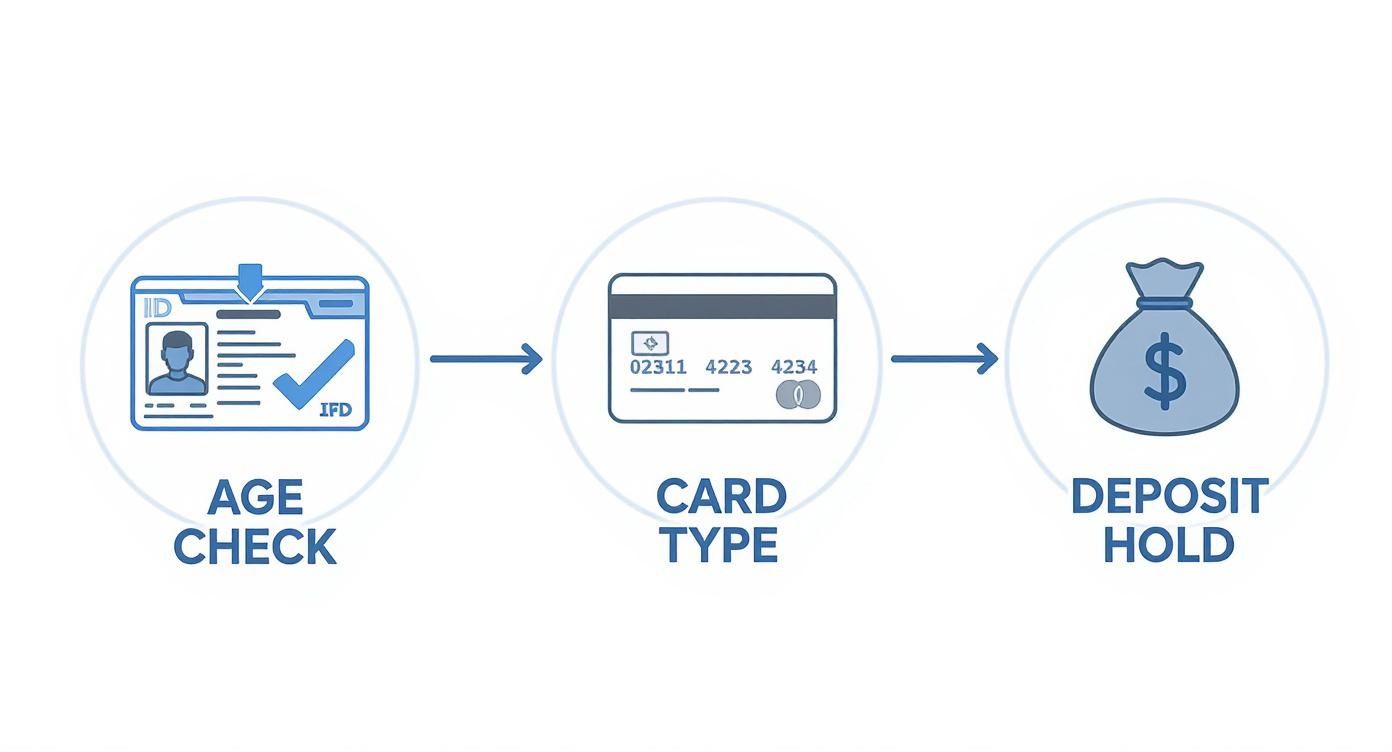
As you can see, it really boils down to three things: meeting the age requirement, using the right kind of debit card, and having enough money in your account for that deposit.
Finalizing Your Reservation
Before you close your browser, do one final check. Use your browser's search feature (Ctrl+F on Windows, Cmd+F on Mac) and type in "debit." This little trick will instantly highlight every mention of debit cards in the policy, so you can spot any rules about luxury car restrictions or special requirements for local renters.
And for some extra savings, it never hurts to check out the latest Cars4Go car rental deals to see if any offers apply to your trip.
Taking a few extra minutes to double-check these details during the booking process makes all the difference. You'll show up to the rental counter feeling confident, knowing you’ve got everything covered.
What to Bring to the Rental Counter
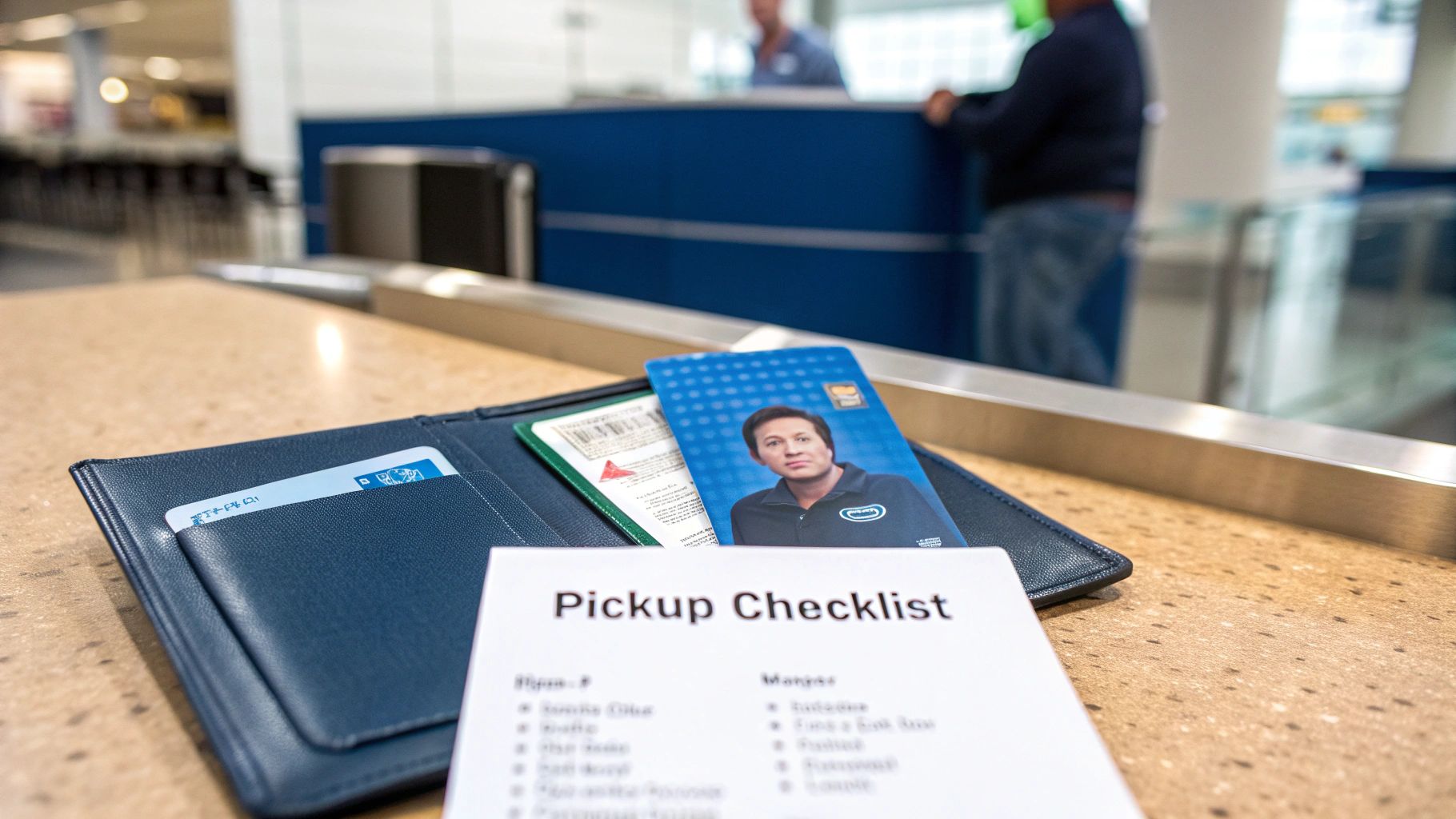
Showing up prepared can be the difference between driving off in minutes or getting stuck in a paperwork nightmare. When you're renting a car with a debit card, the counter agent needs to do some extra verification, so having your documents in order is absolutely essential.
Think of it as putting together a small file to show you're a reliable renter. Making the agent’s job easier is the quickest way to get the keys in your hand and start your trip.
Your Essential Document Checklist
Cars4Go has a few specific requirements for anyone using a debit card, so it pays to be organized. I always recommend keeping everything in a single folder so you're not fumbling around at the counter.
Here's exactly what you'll need:
Your Valid Driver's License: This one’s a no-brainer, but make sure it’s not expired. The name on your license must be an exact match to the name on your debit card.
The Physical Debit Card: You have to present the actual bank-issued debit card (with a Visa or Mastercard logo) that you used for the online booking. No substitutions allowed.
Proof of Return Travel: This is a big one, especially if you're renting from an airport. Bring a printed copy of your return flight itinerary showing your travel dates align with the rental period. This is how the agent confirms you have a solid plan to bring the car back.
The rental industry is slowly catching up to modern payment habits. We've seen credit card dominance in car rentals slip from 90% to 85% in just the last year, which shows that debit cards are becoming more widely accepted.
Pro Tip: Don't just have your itinerary on your phone. Print a physical copy. A dead battery or spotty Wi-Fi at the airport can bring the whole process to a screeching halt.
Additional Verification You Might Need
Sometimes, you might be asked for a little extra proof. Depending on the specific rules at different Cars4Go rental locations, the agent may request a secondary form of address verification.
Having a recent utility bill (like for electricity or water) with your name and address matching your driver's license is a good idea. It’s better to have it and not need it than to be caught without it.
Smart Ways to Avoid Extra Fees
Renting a car with a debit card doesn't have to cost you more. In fact, with a bit of planning, you can sidestep those common extra charges that eat into your travel budget and, more importantly, your security deposit. It all comes down to thinking ahead.
One of the easiest wins is booking your car well in advance. Reserving early, especially when you're using a debit card, helps you lock in a much better daily rate before demand drives prices up. It also gives you breathing room to actually read the fine print for that specific rental location, so there are no last-minute surprises at the counter.
Another huge money-saver? Your own car insurance. Many personal auto policies already cover you when you're in a rental, meaning you can confidently say "no, thank you" to the expensive Collision Damage Waiver (CDW) they'll offer you.
Double-Check Your Own Insurance
Before you even think about leaving for your trip, make a quick call to your insurance agent. All you have to ask is, "Does my policy cover rental cars, and what are the limits?" It's a five-minute conversation that can literally save you $15 to $30 a day.
Pro Tip: Ask your agent to email you a copy of your policy's declaration page. Having that proof of coverage in your hand (or on your phone) makes declining the rental desk's insurance a much smoother, argument-free process.
Don't Get Tripped Up by the Fuel Policy
The fuel policy is a classic spot where rental companies make extra money. Pre-paying for a full tank might sound convenient, but it's almost never a good deal unless you know for a fact you'll bring the car back running on fumes.
Your best bet is always the "Full-to-Full" policy. It’s simple:
You pick up the car with a full tank of gas.
You fill it back up to full right before you return it.
This way, you only pay for the gas you actually used, and you're paying local gas station prices—not the inflated rates the rental agency charges. Bringing the car back full also makes the return inspection quicker, which can help get that hold on your deposit released faster.
Common Questions About Debit Card Rentals
Even after you've done your homework, a few questions can still pop up when you're planning to rent a car with your debit card. That's perfectly normal. Let's walk through the most common ones we hear so you can approach the rental counter with complete confidence.
The biggest worry for most people is having enough cash in their account. It's a valid concern—unlike a credit card, a debit hold ties up your actual money.
What if My Account Balance Is Too Low?
This one is a deal-breaker. If your account doesn't have enough to cover the full security deposit, Cars4Go simply won't be able to hand over the keys.
You absolutely must have the total estimated cost of the rental, plus the entire deposit amount (which can be $500 or more), available as cleared funds in your account before you show up.
A debit card hold isn't a pending charge; it's like putting that cash in a locked box. The money is taken directly from your available balance and becomes inaccessible until the car is safely returned.
This direct withdrawal is precisely why their verification process is so thorough. Once you’ve brought the car back, the next logical question is, naturally, about getting that money back.
How Long Until I Get My Deposit Back?
Cars4Go usually releases the hold on your deposit as soon as the car is returned and checked for any issues. But—and this is a big but—you probably won't see the funds pop back into your account for 5-10 business days.
This delay isn't on Cars4Go's end. It's all about how long your bank takes to process the refund. Make sure you budget for this lag so you aren't left in a tight spot while waiting for the money to clear.
Can I Use a Prepaid Card or Digital Wallet?
The short answer here is no. Like most major rental agencies, Cars4Go doesn't accept prepaid debit cards, gift cards, or digital wallets like Apple Pay for the security deposit.
You’ll need to present the physical, bank-issued debit card with a Visa or Mastercard logo. Critically, the name on that card must be an exact match to the name on the primary driver's license. No exceptions.
Will Cars4Go Run My Credit?
Yes, you should expect this. To manage their risk with debit card rentals, Cars4Go will almost certainly perform a soft credit inquiry. This type of check won't affect your credit score, but it’s a required step in their process.
If you happen to have a credit freeze in place, you’ll need to remember to lift it temporarily before heading to the rental counter to avoid any hiccups.
Ready to book your next trip with confidence? At Cars4Go Rent A Car, we make renting with a debit card simple and transparent. Find your perfect rental car today!
Comments